Search Plan Amendments
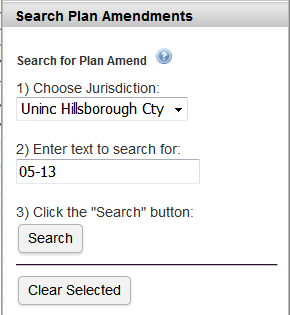
Perform a search:
- Select the Jurisdiction.
- Enter the text to search for in the input box.
- Click the "Search" button to perform the search.
The search will find any plan amendment where the "Plan Amendment Number" contains the text. There may be multiple areas having the same "Plan Amendment Number".
Tips:
- Specify any part of the Plan Amendment number.
- Plan Amendment numbers usually follow the format xx/CPA-yy-## where xx is the Jurisdiction Code, yy is the Year, ## is the Plan Amendment Number (e.g., HC/CPA-12-13).
Search results:
If plan amendment areas are found that match the search criteria, a pop-up box will open containing the list of area(s).
- The list can be sorted by clicking on the column heading.
- Clicking on a row will zoom the map to the highlighted plan amendment area (shaded yellow). Note: The other plan amendment areas in the list are shaded blue.
- Close the pop-up box containing the list by clicking the "x" in the upper right-hand corner.
Click the "Clear Selected" button to remove the selected plan amendment areas from the map.